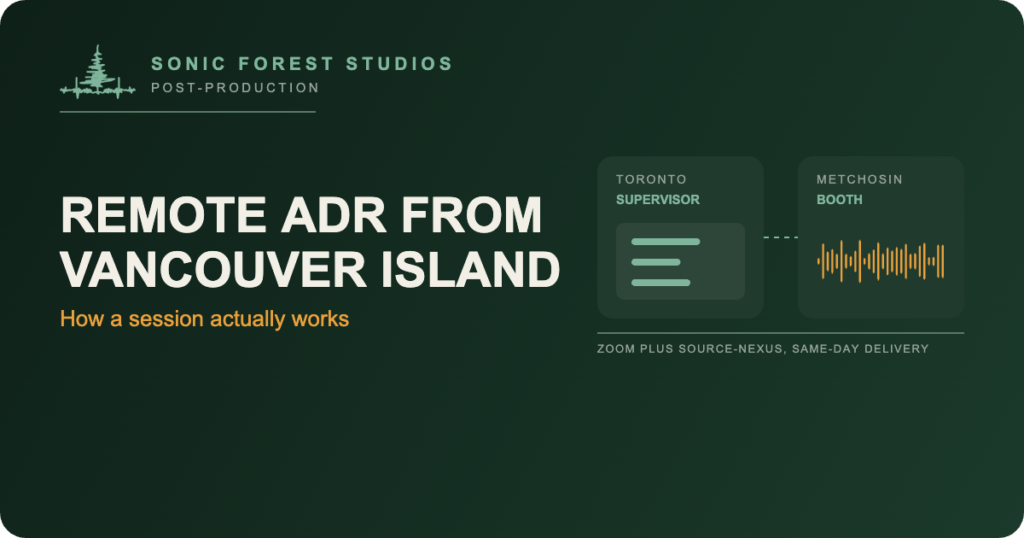
Just before noon on a Tuesday in September, an actor stood in my booth in Metchosin recording two cues for a CBC series, one in English and one in Cree, while the ADR supervisor listened from Picture Shop in Toronto and a Cree translator joined the call for the second cue. Booth to wrap was about an hour and ten minutes. The files were in Toronto that afternoon. Nobody flew anywhere.
That’s what remote ADR looks like now, and it’s a normal week here. Post houses in Toronto, Vancouver and Los Angeles have performers who live on Vancouver Island or are here shooting, and the mix schedule doesn’t care about the ferry. So the session comes to me, the direction comes over the link, and the files go back the same day. Here’s what that looks like from your side of the call, because the details are where remote ADR either works or quietly doesn’t.
Before the day: cue sheet, picture, frame rate
You send three things. The cue sheet, in whatever format your dialogue editor works in. The picture, usually a screener with burn-in timecode and a guide track (separate dialogue, effects and music stems are a bonus). And a frame rate, which I then check against the picture anyway, because I’ve been burned.
Cue Pro loads EdiCue exports, ADR Master projects, CSV, Excel, Pro Tools session info, and Netflix TTAL directly. Reasons and notes carry over, so when the actor sees a cue marked for a noisy location, they also see why it’s being replaced. I scrub the guide track to set each cue boundary to the frame, then run the whole list once against the screener with the streamer on. If a timecode is off, I find it now, not with your supervisor waiting.
If a mic list comes from your sound team, I match it. On a recent Hallmark session in the certified room, the boom was a Sennheiser MKH 416, so that’s what went up, with a Sanken COS-11D lav on a second track. If there’s no list, I ask what was on set. Room tone and mic choice matter more for ADR than most people think, and matching them is cheaper than fixing them in the mix.
On the day: the link
Your supervisor joins a standard Zoom call. That’s it. No plugin, no app, no account with a third company. I know that sounds too simple, and it took some work to make it that simple.
Inside that Zoom call, what they hear isn’t Zoom audio. Source-Nexus runs inside my Pro Tools session and feeds the actual mic signal into the call at broadcast quality, so the supervisor is judging the same thing I’m judging. Talkback goes the other way between takes. They can hear the beeps, hear the take, hear the playback against the guide, and say “again” or “next” without lag getting in the way.
One thing I’ve stopped assuming: that Zoom remembers its own audio settings. It doesn’t. Every meeting, Original Sound has to be switched back on, so there’s a short ritual at the top of every session before anyone hears a note. It’s boring. It’s also why the feed sounds right.
The session itself
The actor sees the streamer on the picture, hears three beeps, and hits the line. I record to a track named for the cue, with the character’s original production track available for reference. Multi-loop takes get named by cue range so the editor can find them. Alt reads and ad-libs get their own takes, not buried in a comp.
A good pace with an experienced actor is somewhere between 15 and 30 cues an hour. Kids and accents run slower. Loop group runs slower still and is a different animal, which is a separate article.
Between takes, the supervisor and the actor talk directly. I stay out of the way unless there’s a technical reason not to. On that Cree cue in September, the translator and the actor worked the pronunciation together over the call for a few minutes before we rolled, and the circled take was the eighth one. That’s the session doing its job.
After the session: delivery
Same day, most of the time. 24-bit/48kHz BWF, dry and unprocessed, named by cue, organized by character, session starting at 00:00:00:00. Transfer goes over whatever your post house already uses; Signiant Media Shuttle is common with the Toronto houses. If you want the Pro Tools session too, with playlists expanded onto separate tracks and the guide stripped out, it comes along.
One thing I do before delivery that isn’t glamorous: I go through the clip names and fix anything the session left messy. Nobody’s editor should have to guess what a take called PVO014_03 is, or find two cues’ files swapped because the record track got renamed a beat late. (That one happened to me once. I caught it by timecode before it left the building. It’s on the checklist now.)
What can go wrong, and what I do about it
Frame rate mismatches. Caught in prep, every time, by checking the picture file rather than trusting the email.
Zoom resetting its audio settings between meetings. Covered above. Ritual at the top of every session.
Cue sheet versions. If v2 arrives the morning of, I reload it and re-check. It happens more than you’d think.
Talent who’s never done ADR. I walk them through the beeps and the streamer on the first cue and we throw it away. Second cue is usually usable.
Work reports. For ACTRA performers the production sends a Performer Work Report. I make sure the actual call and wrap times go on it, the performer signs at wrap, and a scan goes back to the coordinator the same day.
Why this beats flying the actor
A two-hour session on a purpose-built stage in Vancouver or Toronto is a fine thing. But if the actor is here and the supervisor is there, you’re paying for a flight, a hotel, a day of the actor’s time, and a stage you’ll use for two hours. Or you send the cues over, the supervisor joins a call, and it’s done by lunch.
That’s the math that fills my calendar, and I broke the whole quote down in how much does ADR cost. If you’ve got a performer on Vancouver Island and a session to schedule, send me the cue sheet through the ADR page and I’ll come back with a date.
Frequently asked questions
What does the supervisor need to install for a remote ADR session?
Nothing. They join a standard Zoom call. The broadcast-quality studio feed comes through Source-Nexus on my end, inside Pro Tools, so their side is just Zoom.
Can the supervisor hear the actual mic signal, not Zoom audio?
Yes. Source-Nexus feeds the real mic signal into the call, and talkback runs the other way between takes. They’re judging the same feed I am.
What cue sheet formats work for a remote ADR session?
EdiCue exports, ADR Master projects, CSV, Excel, Pro Tools session info text and Netflix TTAL all load straight into Cue Pro. A PDF works too, it just takes longer to build.
How fast do the files come back after a remote session?
Same day on most sessions. Dry 24-bit/48kHz BWF files, named by cue and organized by character, sent over whatever transfer your post house uses.
What frame rates do you work at?
Whatever the picture is. 23.976 and 24 are the usual two, and I check the frame rate against the picture file itself before the session, not the email.
Todd Hooge is the founder of Sonic Forest Studios, the first Dolby Atmos certified facility on Vancouver Island. He records ADR and mixes film and music in Atmos from a 7.1.4 room outside Victoria BC.