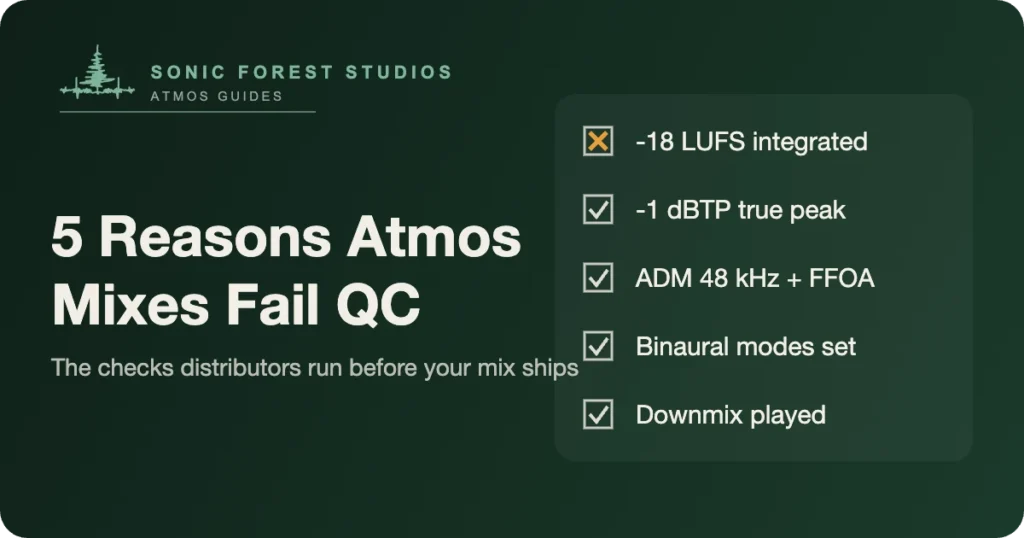
Why do Dolby Atmos QC checks keep rejecting mixes that sounded great in the room? Five reasons cover almost every failure we see: integrated loudness above -18 LUFS, true peaks above -1 dBTP, ADM BWF metadata that doesn’t match the audio, binaural render settings left at their defaults, and downmixes nobody listened to before sending. Every one of them is preventable. Most take minutes to catch. Here’s what each failure looks like, why it happens, and how to clear it before your distributor’s QC system does it for you.
1. Integrated loudness above -18 LUFS
This is the big one. Apple’s spec for Atmos music is -18 LUFS integrated, and engineers coming from stereo push past it constantly, because -18 feels quiet next to a -8 LUFS stereo master. It isn’t quiet on the platform; normalization levels everything at playback, and we covered why in Why Does My Atmos Mix Sound Quiet?. The failure happens when you mix by ear against your loud stereo reference and never put a meter on the re-render. Measure integrated loudness across the full song, not a loud section, and measure it on the 5.1 re-render, since that’s what QC measures. The full spec lives in Apple Music’s spatial audio requirements and in Apple’s own delivery documentation.
2. True peaks above -1 dBTP
Sample peaks and true peaks aren’t the same measurement, and QC uses the second one. A mix can read -1.2 dB on a sample meter while intersample peaks push past -1 dBTP, and codecs make it worse on lossy playback. The usual causes: hot objects with no limiting anywhere in their path, or a bed that sums hotter than any single channel suggests. So check true peak on every re-render the Renderer produces, not just the 5.1. A stray height object can clip a binaural render while the speaker mix measures clean.
3. ADM BWF metadata that doesn’t hold up
The ADM BWF file carries your audio plus everything a platform needs to interpret it: bed configuration, object count, sample rate, and FFOA, the first frame of action. QC rejects files at 44.1 kHz (the spec is 48), files with a missing or misplaced FFOA, and files whose metadata says one thing while the audio does another. This failure is sneaky because nothing sounds wrong. The file plays fine in your room and dies at ingestion. We wrote up how the format works in ADM BWF Explained; the short version is that a re-export with correct settings fixes almost every metadata rejection without touching the mix.
4. Binaural render modes nobody set
Every object and bed channel in an Atmos mix carries a binaural render mode: near, mid, far, or off. Leave them all at the default and the headphone render flattens into something you never approved, and headphones are where most of your audience lives. Some platforms use Dolby’s binaural render directly, Apple applies its own processing instead, and we broke down the difference in Checking Atmos on Headphones. Setting the modes on purpose takes twenty minutes. QC won’t always reject unset modes, but a label listening on AirPods will, and that rejection costs more than the twenty minutes would have.
5. Downmixes and re-renders nobody played
The Renderer generates your 7.1, 5.1, stereo, and binaural re-renders by rule from the Atmos master. Plenty of engineers ship without playing them start to finish even once. Then the stereo fold-down buries a vocal, or a phase quirk hollows out the low end of the 5.1, and the mix fails a listening QC that the meters passed. Play every re-render all the way through. Check the trim and downmix controls in the Renderer while you’re there, because they’re part of the master, and Dolby’s music pages document how each one behaves downstream.
The five-minute version
Before anything leaves the studio, run this list. Integrated loudness at -18 LUFS or lower on the 5.1 re-render. True peak at or under -1 dBTP on every re-render, binaural included. ADM BWF at 48 kHz with FFOA set and metadata matching the audio. Binaural modes set on purpose for every element. Every downmix played top to bottom with your hands off the console. That’s the whole checklist, and it’s the same pass our Dolby Atmos mastering work runs on every project. Five checks, five minutes each, and QC stops being a lottery.
FAQ: Dolby Atmos QC
What loudness should a Dolby Atmos mix be?
-18 LUFS integrated or lower, with true peaks at or under -1 dBTP. Measure on the 5.1 re-render from the Dolby Renderer, since that’s what most QC tools measure.
What is FFOA and why does QC care about it?
First Frame of Action, the timecode where your music actually starts inside the ADM BWF. If it’s missing or wrong, downstream systems can trim your master in the wrong place, so QC treats it as a hard failure.
Can I fix a QC failure without remixing?
Usually, yes. Loudness and true peak problems come down to trims and limiting on the master, and metadata problems get fixed with a re-export. A genuine remix is only needed when the balance itself caused the failure.
Do all platforms run the same QC checks?
No. Apple Music enforces the loudness and true peak spec strictly, while other platforms lean on your distributor’s checks. Passing the strictest spec means passing everywhere, which is why we QC against Apple’s numbers.
Should the Atmos downmix match my stereo master exactly?
It won’t, and it doesn’t have to. The downmix is generated from the Atmos master by rule, not mixed by hand. What matters is that it sounds balanced and clean on its own, because some playback chains will use it.
Who actually rejects a failed Atmos mix?
Usually your distributor’s ingestion system, before the platform ever hears it. Some labels also run their own QC pass. Either way you find out after you thought you were done, which is why we check first.
Todd Hooge is the founder of Sonic Forest Studios, the first Dolby Atmos facility on Vancouver Island. He mixes music and film in Atmos from a 7.1.4 room outside Victoria BC, with more than 454 million streams across his Atmos work.